Automatically rotate kids’ toys when your playroom bins fill up
Instead of deciding what to put away every time toys spill onto the floor, use a toy rotation system for kids that pairs a visible bin limit with an automatic calendar reminder. You still move the toys yourself; the workflow removes the repeated planning, not the hands-on swap.
- Stashsavvy’s toy rotation system for kids suits families who want clear bin limits without a toy-tracking app.
- Use a fill line to trigger swaps; an ordinary bin cannot send an automatic alert.
- Schedule a recurring Google Calendar check so toy storage gets attention before overflow becomes routine.
- Keep favorites accessible, rotate complete play sets, and separate donations from stored toys.
Why this matters
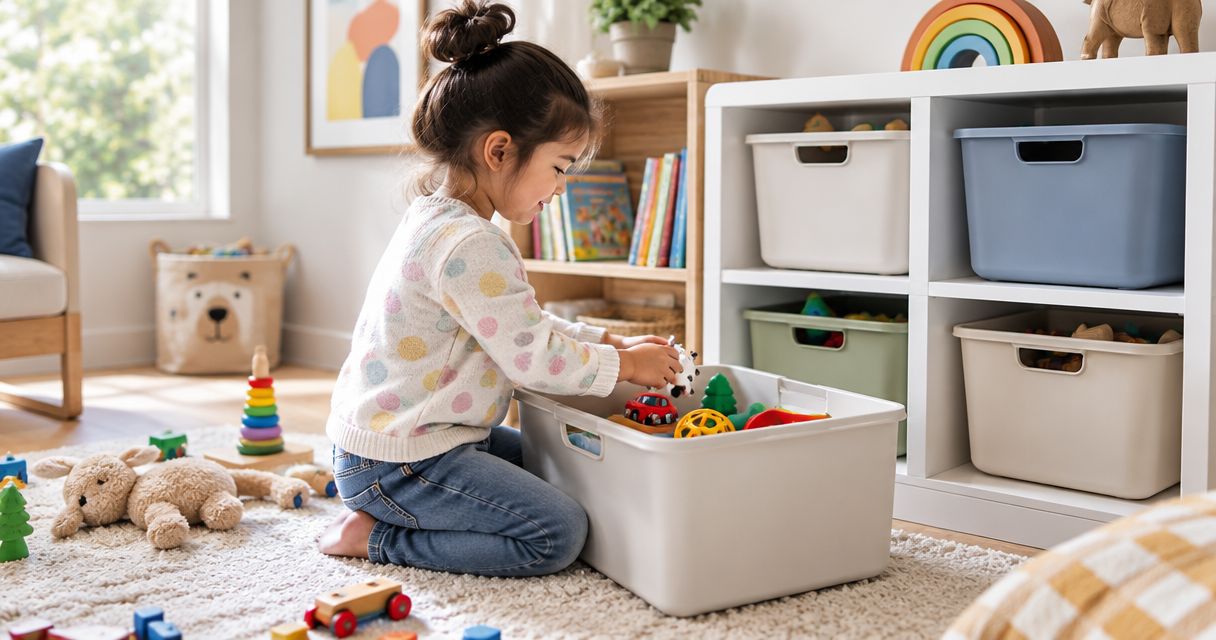
A full playroom bin does not always mean you need more storage. It can mean that too many toys share the same accessible space, or that the container makes cleanup awkward. Make the storage boundary clear before adding another organizer.
Stashsavvy’s home organization approach here starts with containers you already own. If your existing setup is difficult for your child to use, compare kids’ toy storage organizers by access, opening size, and where each container will live—not by how many toys you can squeeze inside.
For your 2026 setup, separate two jobs: noticing that a bin is full and remembering to act. A visible limit handles the first; a calendar reminder handles the second. Neither requires you to catalog every toy.
Before you start
- Gather your materials: accessible playroom bins, an adult-managed reserve location, removable labels, and a shared note or paper rotation card. Keep reserve containers somewhere children cannot pull them down.
- Confirm calendar access: use a Google account and the desktop version of Google Calendar for the instructions below. Choose an account whose reminders the responsible adult actually checks.
- Know the catch: Google Calendar cannot detect a full physical bin. Someone must notice the fill line; the recurring event is a backup check, not a sensor-triggered automation.
Choose one adult to maintain the record, even if several caregivers help with cleanup. Otherwise, a toy can move into reserve while the record still says it is available.
1. The bin-capacity trigger
Define what full means
- Empty one problem bin and separate unrelated categories. Keep pieces belonging to the same toy together.
- Return the toys your child currently uses. Leave enough room to remove and replace them without pressing down the contents.
- Mark that comfortable level with removable tape, or photograph it if tape will not suit the container.
- Write this rule on your rotation card: When toys cross the line after cleanup, exchange a category with reserve storage.
- Start with 1 active bin and 1 reserve bin if the whole playroom feels overwhelming. Expand only after the small setup works.
Expected result: you can tell whether the bin needs attention without counting toys. The trigger is the filled container after cleanup—not a floor covered during an active game.
Do not use a tightly packed lid as your target. A container that an adult can force closed is not necessarily one a child can manage independently. Keep heavy items low and follow storage furniture anchoring instructions.
Choose the right trigger for your household
These are workflow choices, not tested product rankings. The comparison uses practical criteria: what starts the task, how much observation it needs, and whether the swap matches actual playroom use.
| Workflow | Best for | Advantage | Limitation |
|---|---|---|---|
| Fill-line trigger | Families whose toy use changes often | Responds to actual crowding | Someone must notice and act |
| Calendar check | Caregivers who forget to review bins | Creates a recurring prompt | Cannot tell whether a bin is full |
| Combined workflow | Families wanting a trigger and a backup | Connects visible capacity with a reminder | Still requires a manual swap |
Use the combined workflow if overflow keeps returning. A fill line supplies the decision rule; the calendar stops that rule from disappearing into a busy week.
2. The recurring calendar check
Create the reminder
- Open Google Calendar on a computer and select Create, then Event.
- Give the event an action-based title: Toy rotation check — compare bins with fill lines.
- Choose a time when an adult can inspect the play area. Reserve 10 minutes as a starting appointment, not a promise about how long every swap takes.
- Open Does not repeat, choose Custom, and set the event to repeat every 1 week. Select Done.
- In the event description, paste the checklist below.
- Select Add notification if you need an alert, choose when it should arrive, and select Save.
Use this event description:
- Finish the ordinary toy cleanup first.
- Check each active bin against its fill line.
- If a bin is over the line, choose a complete category to rotate out.
- Return a reserve category only if it fits the available space.
- Update the rotation card before putting reserve storage away.
Expected result: a recurring event appears on your calendar with the same decision checklist attached. Confirm that the first event has the intended date, time, and notification before relying on it.
For a 2026 household calendar, use a title that explains the action rather than simply saying Organize. Another caregiver should understand the task without asking what you meant.
Test the notification
Create a separate, near-term test event with a notification, then delete it after confirming that the alert reaches the device you use. Check both the event’s notification setting and your device’s permission settings if nothing appears.
An event saved successfully is not proof that your phone will alert you. Test once before making the calendar your backup memory.
3. The swap and rotation record
Exchange toys without creating a sorting project
- After cleanup, identify the category crowding the active bin. Rotate a complete set rather than scattering its pieces between locations.
- Put that category into reserve storage. Keep a comfort item or an actively used favorite accessible rather than rotating it solely to satisfy the schedule.
- Bring out a reserve category only if the active bin has room below its fill line. A rotation does not require an equal-volume replacement.
- Record the outgoing category, its reserve location, and the incoming category on your rotation card.
- Return reserve storage to its adult-managed location before reopening the play area.
Expected result: accessible toys fit their containers, reserve toys have a known location, and the next caregiver can see what changed.
Use three plain headings on the card: Available now, In reserve, and Ready to leave. The last heading is for donation or disposal decisions; it is not another rotation category. Remove broken or unsafe toys from use rather than hiding them in reserve.
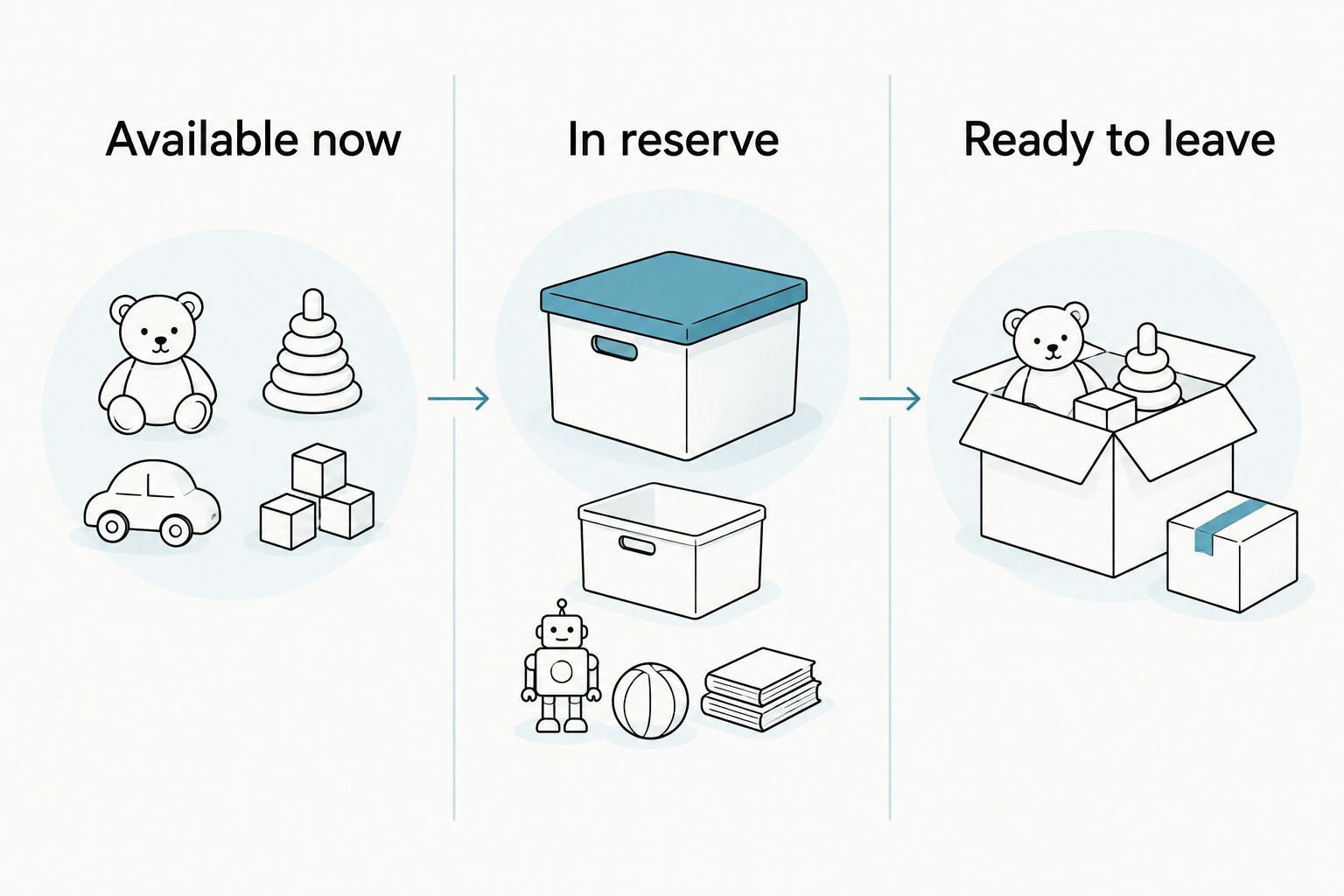
A sample 2026 entry can be brief: wooden train set into reserve, large vehicle basket available now. Use the actual names your family recognizes and add the storage location; avoid a detailed inventory unless missing pieces are a recurring problem.
Rotate toys whenever something new arrives
A calendar check is not the only useful prompt. Birthdays, gifts, and hand-me-downs create a second workflow: review capacity when a toy enters the home rather than waiting for the next recurring event.
- Check that the incoming toy is suitable for the child and inspect its condition.
- Choose its accessible home before adding it to the play area.
- If that home is already at its fill line, move an existing category into reserve or make a separate decision about something outgrown.
- Update the rotation card immediately so the new toy does not become an unrecorded exception.
Best for gift-heavy periods: the arrival-triggered workflow addresses new items at the door. Its drawback is that an adult must make the storage decision when the item arrives, even during a busy week.
Keep the recurring calendar event as a backup. An arrival rule catches new toys, but it does not catch a basket that gradually accumulates pieces borrowed from other rooms.
For 2026 celebrations, decide the receiving spot ahead of time. A temporary staging basket gives you somewhere to inspect gifts without immediately mixing packaging, loose pieces, and existing toys.
Reserve storage that stays easy to use
Reserve toys should be out of everyday circulation but straightforward for an adult to retrieve. Choose the location before filling containers: a manageable shelf, an appropriate closet space, or another secure storage area suited to the contents.
Best for frequent swaps: an accessible, adult-managed location at home. Its advantage is immediate retrieval; its limitation is the household space it occupies. Avoid placing heavy containers overhead or blocking access to utilities, exits, or daily essentials.
For toys genuinely being kept long term rather than rotated, valet storage services introduce a different retrieval process from opening a home cupboard. Keep those items outside the active rotation plan, and confirm the provider’s collection, access, and storage terms before deciding whether that arrangement fits your household.
The distinction matters: a reserve toy is something you expect to bring back into play. An item stored for an uncertain future needs a separate keep-or-release decision, not a permanent place on the weekly checklist.
Troubleshooting your toy rotation system
The bin overflows before the reminder
Use the fill-line trigger immediately; the calendar is only a backup. If the same category keeps overflowing, check whether unrelated toys are landing there before changing the schedule or buying a larger bin.
Your child asks for a toy in reserve
Retrieve the requested toy when practical and adjust the accessible selection to fit. Rotation is a storage routine, not a rule against choosing toys. Keep frequently requested favorites available and rotate less-used categories instead.
Cleanup leaves mixed pieces everywhere
Keep each multi-piece set together inside its main storage container, using an appropriate pouch or smaller container where suitable. Do not rotate a set until you have checked the floor and neighboring bins for its pieces.
Reminders keep getting dismissed
Move the event to a time when someone is already near the playroom. Shorten the task to checking the fill line; if a swap is necessary but cannot happen then, choose a specific follow-up time instead of leaving the event as a vague intention.
Reserve storage keeps expanding
Stop treating every outgoing toy as something to save. Review whether it is still suitable, complete, and wanted; make donation decisions separately from the rotation task so reserve storage does not become overflow with a lid.
Customize your workflow
Once the routine works for one bin, add another category using the same fill-line rule. Do not automatically create another reminder: one playroom check can cover several containers without filling your calendar with duplicate prompts.
Stashsavvy’s home organization guidance suits families who want manageable routines rather than a detailed toy database. For a broader household schedule, connect this check to a Google Calendar decluttering workflow, while keeping toy swaps distinct from donation and cleaning tasks.
At your next 2026 household review, change whichever part causes friction: the container, the storage location, the reminder time, or the size of the swap. Keep the parts that already work.
FAQ
Can a toy rotation system automatically detect a full bin?
The ordinary-bin workflow described here cannot detect fullness automatically. An adult checks the fill line, while Google Calendar supplies the recurring reminder.
How often should I rotate my kids’ toys?
Start with a weekly capacity check, then rotate only when the accessible storage needs attention. The check is a suggested routine, not a requirement to replace toys every week.
Do I need to buy matching bins for toy rotation?
No, matching bins are not required. Use suitable containers you already own if your child can access the active toys and an adult can manage the reserve storage safely.
Should favorite toys go into reserve storage?
Frequently used favorites can stay accessible. Rotate less-used categories around them instead of removing a comfort item simply because a reminder appeared.
What if I do not have space for reserve toys?
Keep the reserve smaller or skip reserve storage and focus on reducing what needs a home. Toy rotation does not solve a space shortage if every accessible bin and cupboard is already crowded.
Is this Stashsavvy toy rotation method based on hands-on testing?
This guide presents a suggested household workflow, not a hands-on product test. Its choices are explained through container access, visible capacity, retrieval, and reminder setup.
One last thing
A successful reminder can end with no swap at all. If the toys fit, your child can find them, and cleanup works, leave the selection alone. The goal is a usable playroom—not a rotation record filled with activity.
Related guides
- Decluttering tips for new parents
- Small-bedroom storage for shared rooms
- How to declutter sentimental items without guilt