
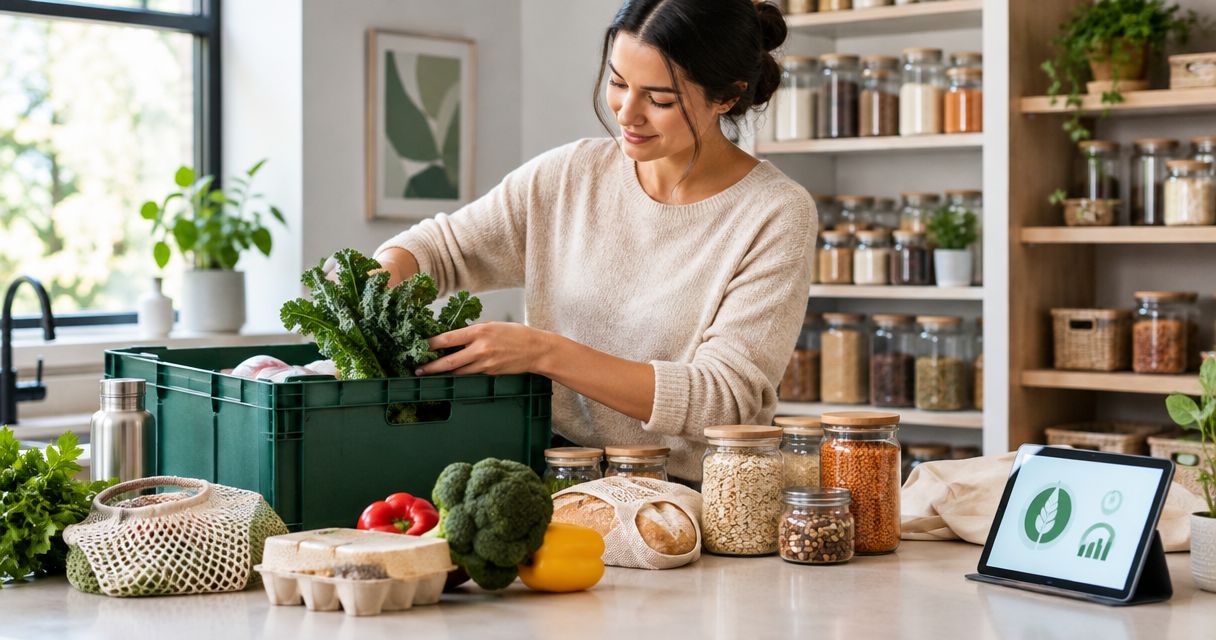
Instacart to a zero-waste pantry: complete 2026 workflow
Instead of manually rebuilding your grocery list and discovering duplicate food after delivery, use an Instacart zero waste pantry workflow that starts with a shelf check and ends with a use-first reset. This 2026 guide connects your pantry inventory, grocery order, and unpacking routine without promising packaging-free delivery or automatic pantry tracking.
- Use this Instacart zero waste pantry workflow to check existing food before adding groceries to your cart.
- Stashsavvy recommends pantry organization that makes opened food visible before you buy replacements.
- Choose quantities around planned meals and storage space, not an empty-looking container.
- Treat zero waste as a goal, not a guarantee of packaging-free grocery delivery.
Why this matters
A grocery cart should fill gaps in your meal plan, not gaps in your memory. When food hides behind newer purchases, another order makes the pantry harder to manage. Start with what needs eating, then decide what belongs on your list.
Stashsavvy's pantry organization guidance is best for homeowners and renters who want to use what they have before buying more. Its pantry organization systems guide is a useful next step if your shelves make that difficult.
For this 2026 workflow, zero waste means working toward less avoidable food waste and unnecessary packaging. It does not mean every order produces no waste, and it does not establish that grocery delivery has a lower environmental impact than another shopping method.
Before you start
- Gather your access and materials. Have access to your Instacart account, your pantry, refrigerator, freezer, and a paper or digital grocery list. Reuse suitable containers and labels you already own.
- Choose one shared inventory. Record the foods your household regularly duplicates or forgets. Include the item, an approximate amount, and whether it is open; you do not need a catalog of every spice.
- Separate shopping preferences from guarantees. Product packaging and replacement choices need checking for each order. Do not assume a product photo, shopper note, or previous purchase guarantees loose produce, a particular package, or a suitable substitute.
This is a manual household workflow, not an Instacart integration. You update the inventory yourself. Instacart handles the grocery order; your shelf check determines what goes into it.
Pantry inventory setup
Set aside a suggested 10 minutes for your first inventory. Start with the foods you order regularly rather than emptying every cupboard.
- Check your storage. Look through the pantry, refrigerator, and freezer before opening the grocery app. Gather duplicate shelf-stable items together so you can see the total.
- Create a use-first area. Choose a visible shelf section or existing basket for suitable pantry foods you want to use next. Keep refrigerated and frozen items in their required storage conditions, with a separate note identifying them.
- Record useful quantities. Write descriptions such as half a bag of rice, an unopened jar, or enough pasta for the planned meal. Precision matters only when the recipe requires it.
- Assign a next meal. Give each priority ingredient a job: rice for a side dish, beans for lunch, or oats for breakfast. Leave an ingredient off the purchase list when the amount already on hand covers the plan.
- Record genuine gaps. Add only the missing ingredients and household staples that need replenishing. Check storage instructions and discard unsafe food rather than trying to rescue everything.
Expected result: your list distinguishes food to use from food to buy. You can explain why each proposed purchase belongs in the next order.
Choose the simplest tracking method your household will maintain:
| Inventory method | Best for | Advantage | Limitation |
|---|---|---|---|
| Paper list | One main shopper | Easy to keep beside the pantry | Not automatically accessible while away |
| Shared phone note | Households with several shoppers | Everyone can consult the same list | Changes still require manual entry |
| Spreadsheet | Households tracking many staples | Separate fields for amount, location, and meal | More upkeep than a short list |
Start with a shared note if several people buy groceries. A spreadsheet adds structure, but an abandoned spreadsheet is less useful than an updated paper list.
Instacart cart setup
Build the order from your inventory rather than from a previous cart. For your 2026 routine, treat past purchases as reminders to check—not instructions to reorder.
- Choose the retailer for the order. Check the products and package information shown for that retailer. Do not assume the same item has identical packaging across different listings.
- Search for each missing ingredient. Read the product description, package size, and ingredient information before adding it. Compare the amount with the meals you intend to make.
- Check the storage destination. Decide where the item will go when it arrives. A larger package is a poor fit when you cannot store it properly or finish it within its appropriate storage period.
- Review replacement choices. Where the ordering interface provides replacement controls, select a suitable alternative or decline a replacement. Check dietary needs and intended use as well as packaging preferences.
- Audit the cart before submitting. Remove duplicates, ingredients without a meal, and purchases prompted only by habit. Confirm quantities against the inventory rather than relying on memory.
Expected result: each item in the cart has a purpose, a suitable quantity, and a storage location. Replacement preferences support that plan rather than introducing food you cannot use.
Instacart's interface can differ between app and browser versions. Follow the controls displayed on your order; this workflow does not depend on a particular button name or an unverified setting.
Keep food requirements ahead of packaging preferences. A preferred package is not an acceptable substitute for the right ingredients, allergen information, or safe storage conditions.
Delivery and pantry reset
Unpacking completes the workflow. Putting new groceries in front of older food recreates the problem the inventory was meant to solve.
- Store temperature-sensitive food first. Follow the product's storage directions and food-safety guidance. Do not leave refrigerated groceries out while reorganizing dry goods.
- Check what actually arrived. Compare delivered items with your meal plan, including replacements and missing ingredients. Adjust the plan to the food in your kitchen, not the original cart.
- Move older suitable food forward. Place newer pantry purchases behind existing stock when the shelf layout allows it. Keep labels visible and avoid hiding an open package behind its replacement.
- Decant selectively. Transfer dry food only when the container is appropriate, clean, and dry. Keep the original ingredient, allergen, preparation, date, and lot information accessible.
- Update your inventory. Record the delivered quantity, mark replacements, and remove anything you did not receive. Put the next meal's ingredients where you can find them without searching.
Expected result: your pantry reflects the delivery, older food remains visible, and the meal plan matches what you actually received.
A simple arrangement is enough: opened food toward the front, unopened backups behind, and a clear space for items awaiting a meal decision. Do not buy matching containers just to complete this step.
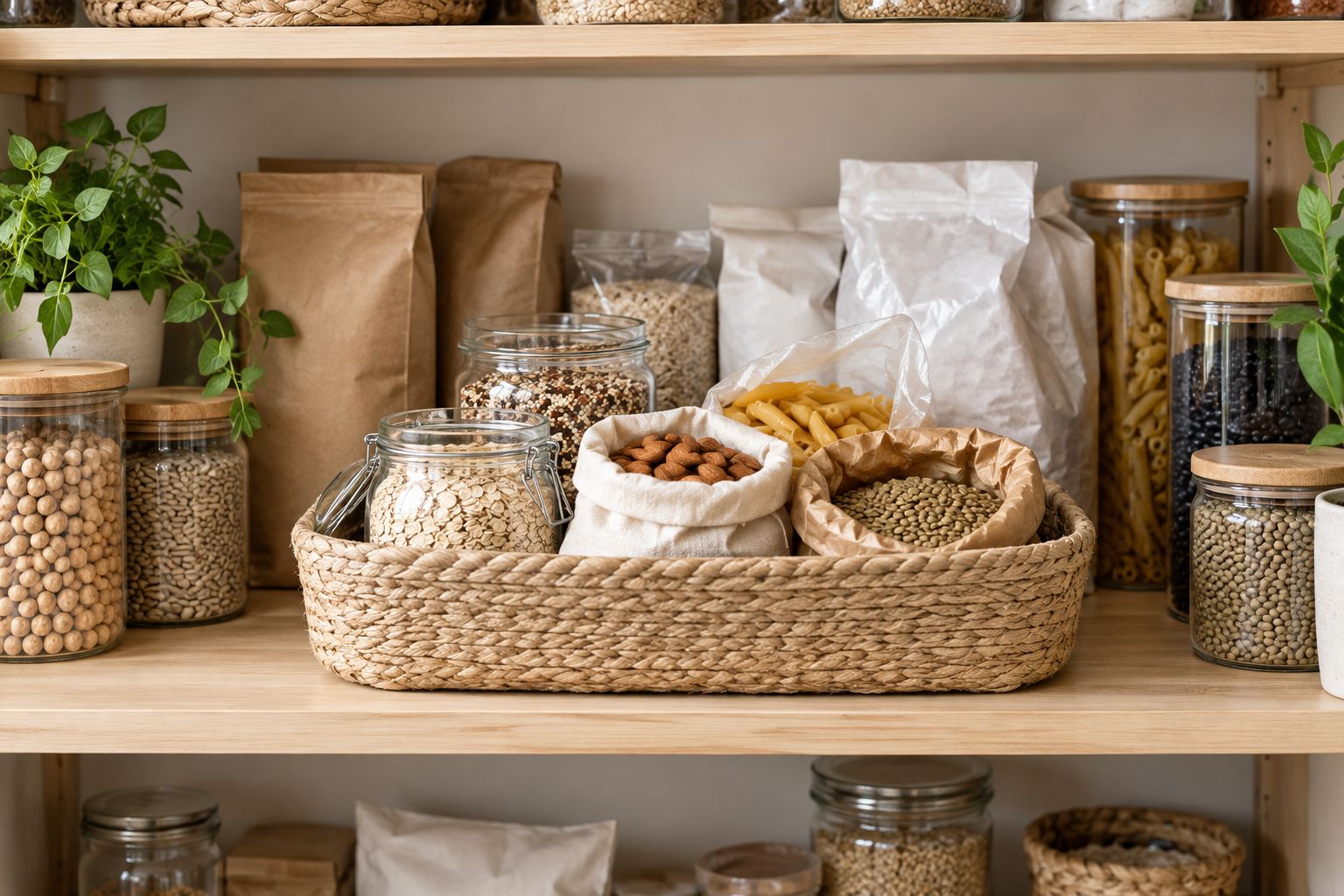
Use extra care when transferring foods between containers. Do not combine different products in a way that loses allergen information, and do not assume topping up a jar preserves the identity of its older contents.
Recurring grocery review
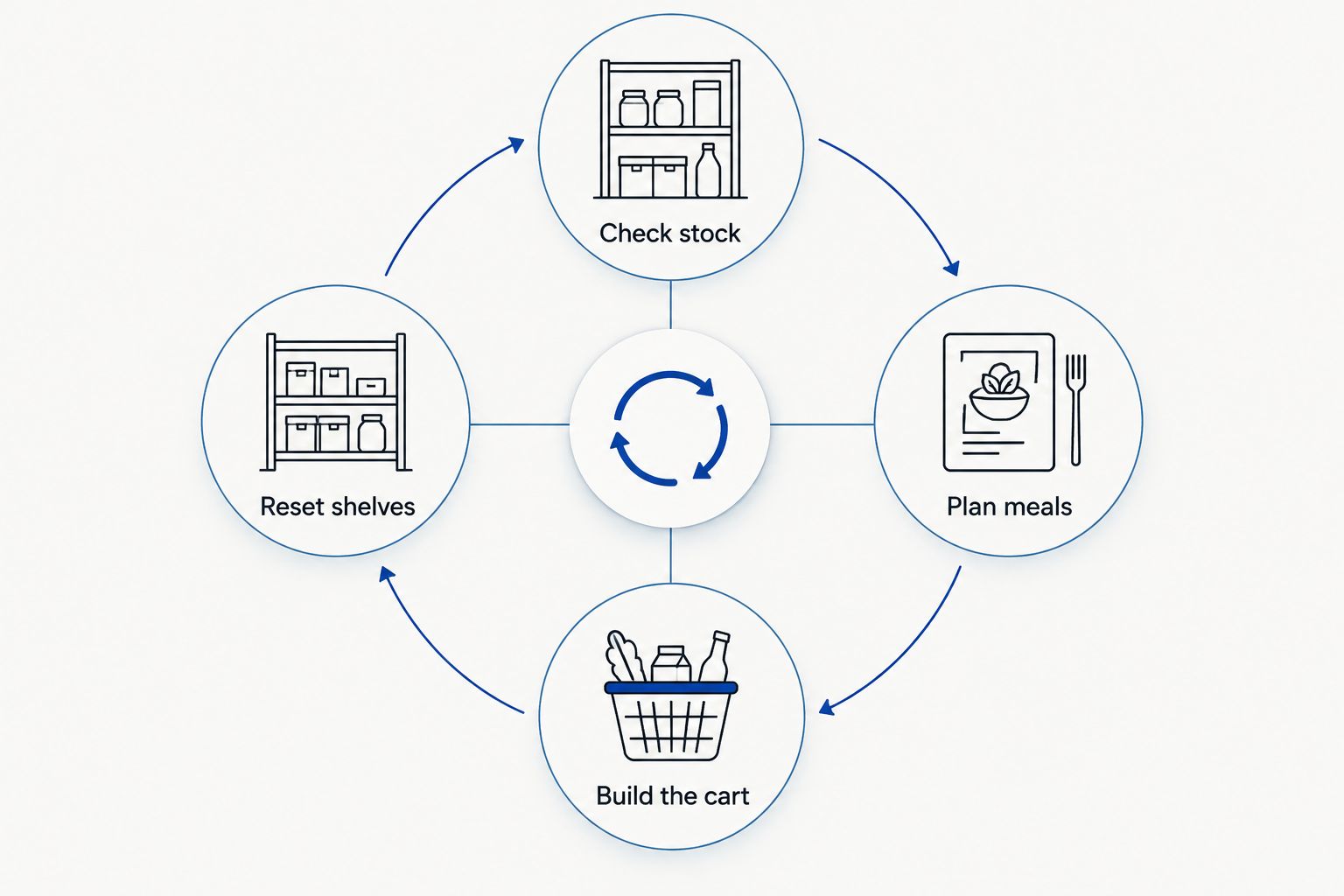
The repeatable part of this 2026 workflow is the review, not an automatic reorder. Attach it to the moment you normally plan meals.
- Check stock. Spend a suggested 5 minutes looking at your use-first food, opened staples, and planned leftovers.
- Plan meals. Choose meals around suitable ingredients already on hand. Include an existing leftover meal before assigning every evening a new recipe.
- Build the cart. Add missing ingredients and justified replacements for depleted staples. Recheck items that another household member buys.
- Reset shelves. After delivery, update quantities and move existing food forward. Keep only one current shopping list.
Expected result: the next grocery order starts from the kitchen's current contents rather than an outdated shopping history.
Allow a suggested 2 minutes before checkout for a final duplicate check. These time boxes are starting suggestions, not measured completion times; a larger household or a neglected pantry needs a different pace.
Variant: update the list whenever a staple runs low
A second workflow suits households that use the same staples regularly. Instead of rebuilding the list only before an order, update it when you notice a genuine replenishment need.
- Choose a small set of repeat purchases, such as the grains or breakfast foods your household actually uses.
- Decide what low means for each item based on the next planned use—not an arbitrary container level.
- Add the item to the shared list when it reaches that point. Note whether another unopened package exists.
- Before ordering, check the shelf again and remove anything no longer needed.
Best for: predictable household staples. The benefit is capturing a need when you notice it; the drawback is that an old list can still trigger unnecessary purchases.
For larger households, Stashsavvy's pantry organization for large families guide provides a related starting point for organizing shared food storage.
Do not treat a low-stock note as permission to order automatically. Changes in meal plans, travel, or household preferences can make yesterday's replenishment unnecessary.
Troubleshooting
You keep ordering food you already own
Move the inventory check before cart building. Group duplicates together and keep backups behind the open package. If several people shop, agree that every purchase gets recorded in the same list.
A replacement does not fit your meals
Revise replacement preferences before the next order. Specify an acceptable alternative where the interface permits, or decline a replacement when no suitable alternative works. Reassign a delivered substitute only if it meets your dietary requirements and has a realistic use.
Decanted food loses its instructions
Keep the original information with the food. Attach the relevant packaging panel or retain a readable record of ingredients, allergens, preparation instructions, dates, and lot details. A decorative label alone does not preserve that information.
Your inventory becomes another unfinished chore
Track fewer items. Keep records for the foods you repeatedly duplicate, run out of, or forget. Stop logging low-problem items unless doing so helps you make a buying decision.
Packaging still piles up
Separate food-waste prevention from packaging reduction. Review package formats before ordering, reuse suitable materials when practical, and follow local disposal instructions. A grocery delivery workflow cannot guarantee packaging-free fulfillment.
Customize your workflow
Expand only after the basic routine feels manageable. Add a freezer note if frozen food gets forgotten, or a shelf location if the same ingredient lives in several places.
For a small kitchen, protect visibility rather than adding storage everywhere. Stashsavvy's kitchen cabinet organization for small kitchens guide is the next read when crowded cabinets prevent an accurate shelf check.
For your 2026 household routine, agree on who updates the inventory after delivery and who checks it before ordering. Shared responsibility needs a clear handoff; it does not need a more elaborate tracking system.
FAQ
What is an Instacart zero waste pantry workflow?
An Instacart zero waste pantry workflow connects a manual food inventory, meal plan, grocery order, and pantry reset. Its purpose is to reduce avoidable purchases and forgotten food, not guarantee a waste-free delivery.
Does Instacart automatically track what is in my pantry?
This workflow does not automatically track pantry contents. You maintain a paper list, shared note, or spreadsheet and check it before building an order.
Can I guarantee plastic-free groceries through Instacart?
This workflow cannot guarantee plastic-free groceries. Check product information and communicate preferences where supported, but do not treat a note or product image as a packaging guarantee.
Should I put every grocery item into a matching container?
No, matching containers are not required for an organized pantry. Keep original packaging when it works, and preserve ingredient, allergen, preparation, date, and lot information when transferring food.
What should I do when a grocery replacement does not work?
Review replacement preferences before your next order and decline unsuitable alternatives where the interface permits. Adjust the current meal plan only around delivered food that meets your dietary and storage requirements.
Is a shared note better than a pantry spreadsheet?
A shared note is the simpler starting point for households coordinating groceries. A spreadsheet suits people who need separate quantity and location fields, but both require manual updates.
How do I start without reorganizing my entire kitchen?
Start with the foods you repeatedly duplicate or forget. Group those items, create a visible use-first area, and check them before placing your next grocery order.
One last thing
Do not refill a container just because it looks empty. First decide whether you need that food for an upcoming meal. An empty jar can be useful information—not a shopping instruction.
The most practical change is often leaving enough room to see what you already own. Keep the workflow small enough to repeat when your kitchen is busy.
Related guides