
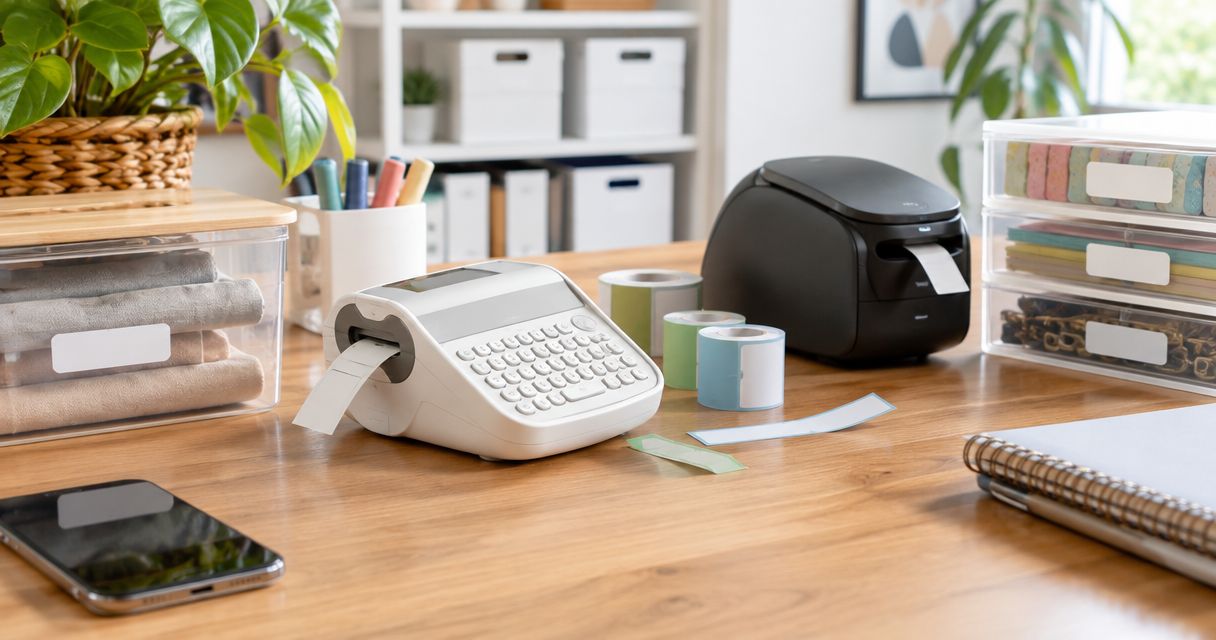
Best label makers for home organizing in 2026
Best overall: Brother P-touch PT-D210. Best for phone-designed labels: Brother P-touch CUBE Plus PT-P710BT. Best simple manual option: DYMO Organizer Xpress. This 2026 guide compares five label makers by how you create labels, where you use them, and how much setup you want.
- Stashsavvy’s best label makers for home organizing pick is Brother P-touch PT-D210 for everyday bins and shelves.
- Brother P-touch CUBE Plus PT-P710BT suits phone-designed pantry labels; Brother PT-D410 suits computer-designed storage labels.
- DYMO LetraTag 100H suits indoor household labels; DYMO Organizer Xpress suits occasional embossed labels.
- Match the tape to the surface, and check removal instructions before labeling rental fixtures.
Why this matters
A label maker should make putting things away easier, not add another complicated household task. The useful distinction is whether you want to type directly on a handheld machine, design on your phone, or prepare labels on a computer.
Stashsavvy recommends the Brother P-touch PT-D210 label maker for households that want everyday storage labels without an app. Start with the categories you already use: snacks, baking supplies, spare cables, or cleaning cloths. If your shelves still need a layout, choose your pantry organization system before labeling every container.
The recommendations below compare documented controls, tape formats, and connection methods. They are research-based picks, not a hands-on test or a claim that an organizer personally tried these machines.
What makes the best label makers for home organizing
For this 2026 shortlist, the selection criteria focus on everyday use rather than decorative extras:
- Input method: A built-in keyboard works independently; phone and computer design suit people who prefer those screens.
- Tape suitability: Match the manufacturer's tape to the intended surface and exposure. A printer alone does not determine label durability.
- Readable label size: Choose a tape width that fits both your wording and the container. Wider tape is useful for larger category labels.
- Repeatable layouts: A consistent category name and layout matter more than a large collection of fonts.
- Replacement supplies: Check the exact compatible tape family before choosing a machine. Similar-looking cartridges are not automatically interchangeable.
- Household effort: Consider charging, batteries, software, and storage. The best machine is one you can readily use when a bin changes purpose.
Skip accessories until you know what you need. A plain label with a clear category is a sensible starting point; decorative borders do not fix an unclear storage system.
Best label makers at a glance
| Label maker | Best for | Standout feature | Key limitation |
|---|---|---|---|
| Brother P-touch PT-D210 | Everyday bins and shelves | Standalone keyboard; compatible TZe tape up to 12 mm wide | No phone or computer label design |
| Brother P-touch CUBE Plus PT-P710BT | Phone-designed pantry labels | Bluetooth design; compatible TZe tape up to 24 mm wide | No built-in typing keyboard |
| Brother P-touch PT-D410 | Computer-designed storage labels | Standalone or USB-connected design; TZe tape up to 18 mm wide | No Bluetooth phone workflow |
| DYMO LetraTag 100H | Basic indoor household labels | Handheld keyboard; paper, plastic, and iron-on LetraTag options | Not a laminated TZe tape system |
| DYMO Organizer Xpress | Occasional embossed labels | Manual operation without batteries or software | Character-by-character entry and a fixed embossed style |
The widest tape is not automatically the best choice. Check the flat labeling area on your smallest container before choosing a machine around its maximum width.
1. Brother P-touch PT-D210: best label maker for everyday bins
The Brother P-touch PT-D210 is a standalone label maker with a built-in keyboard and display. It uses Brother TZe tape, including laminated options, in widths up to 12 mm. You type on the machine rather than connecting a phone or computer.
That makes it a practical default for drawer dividers, pantry shelves, baskets, and storage-bin categories. Keep the wording short enough to read without picking up the container. “Baking” is often more useful than a full inventory of everything inside.
Brother P-touch PT-D210 pros:
- Creates labels without an app or computer connection.
- Provides on-device text formatting and label preview.
- Uses the TZe tape family, with different compatible label finishes.
- Fits a straightforward type, print, and apply workflow.
Brother P-touch PT-D210 cons:
- Does not support phone or computer label design.
- Its 12 mm maximum tape width limits larger label layouts.
- Requires attention to batteries or a compatible power supply.
Best for: Households labeling everyday containers with short category names.
Before committing to a whole pantry, print one category and hold it against your smallest bin. Check readability from the distance at which you normally reach for that bin. This is a fit check you can do at home, not a performance claim about the machine.
Verdict: Buy the Brother P-touch PT-D210 for straightforward, app-free home organizing in 2026.
2. Brother P-touch CUBE Plus PT-P710BT: best for phone-designed labels
The Brother P-touch CUBE Plus PT-P710BT connects through Bluetooth for label design on a compatible phone. It uses TZe tape up to 24 mm wide and has a rechargeable battery. Unlike the keyboard models here, it relies on a connected device for entering your label text.
Choose this approach if you prefer editing names and layouts on a phone screen. The wider tape support also gives you room for more prominent labels on large pantry containers or storage totes. You still need to choose a layout that fits the actual surface.
Brother P-touch CUBE Plus PT-P710BT pros:
- Lets you design labels using a compatible phone.
- Supports wider TZe tape than the PT-D210 and PT-D410.
- Uses a rechargeable battery.
- Offers computer connectivity as another design route.
Brother P-touch CUBE Plus PT-P710BT cons:
- Has no built-in keyboard for independent text entry.
- Adds device compatibility and software setup to the process.
- Needs charging before cordless use.
Best for: People who want phone-designed labels and larger category layouts.
Check the manufacturer's current app and operating-system requirements before choosing the Brother P-touch CUBE Plus PT-P710BT in 2026. For shared households, also decide who will keep the label layouts. A labeling system should not become inaccessible when the person with the app is away.
Verdict: Buy the Brother P-touch CUBE Plus PT-P710BT if phone-based design is a benefit, not an extra chore.
3. Brother P-touch PT-D410: best for computer-designed storage labels
The Brother P-touch PT-D410 combines a built-in keyboard with USB computer connectivity. It supports compatible TZe tape up to 18 mm wide. You can create a quick label on the machine or use Brother's compatible computer software for layout work.
This is the flexible middle option for a household that wants both methods. Use standalone typing for a newly repurposed drawer; use computer design when you want to prepare a coordinated set of category labels.
Brother P-touch PT-D410 pros:
- Works as a standalone label maker.
- Supports computer-designed labels through USB.
- Accommodates wider tape than the PT-D210.
- Keeps occasional labels and planned labeling projects on one machine.
Brother P-touch PT-D410 cons:
- Computer use requires a USB connection and compatible software.
- Does not offer the CUBE Plus Bluetooth phone workflow.
- Supports narrower tape than the CUBE Plus.
Best for: Households that want desktop layout control without giving up a built-in keyboard.
For a garage project, settle the categories before creating a coordinated label set. “Camping,” “Car care,” and “Painting” describe purposes; lengthy item lists need updating whenever contents change. Labels work best when the storage categories remain useful after individual items move.
Verdict: Buy the Brother P-touch PT-D410 for a mix of quick standalone labels and computer-designed projects.
4. DYMO LetraTag 100H: best for basic indoor household labels
The DYMO LetraTag 100H is a handheld electronic label maker with a keyboard and display. It uses the LetraTag tape family, which includes paper, plastic, and iron-on options. Those materials serve different purposes; they are not substitutes for one another.
This is a sensible option for indoor drawer categories, craft supplies, and household containers when you choose suitable tape. If you need fabric labeling, check the iron-on tape instructions and the fabric's care requirements rather than using ordinary adhesive tape.
DYMO LetraTag 100H pros:
- Creates labels without a phone or computer.
- Offers different LetraTag materials for distinct household tasks.
- Provides an on-device preview and formatting controls.
- Keeps the process focused on simple text labels.
DYMO LetraTag 100H cons:
- Does not provide phone or computer design.
- Uses LetraTag supplies rather than Brother TZe cartridges.
- Requires careful material selection for moisture, handling, or fabric use.
Best for: Basic indoor labeling with a handheld machine.
Do not treat paper, plastic, and iron-on labels as equally suitable for every room. Read the instructions for the exact cartridge you choose. For kitchen containers that you wash, confirm the tape's care guidance instead of assuming that any plastic label is dishwasher-safe.
Verdict: Buy the DYMO LetraTag 100H for simple indoor labels; skip it if connected design is your priority.
5. DYMO Organizer Xpress: best for occasional embossed labels
The DYMO Organizer Xpress makes raised lettering on embossing tape through manual operation. You select and press characters instead of typing into an electronic display. It needs neither batteries nor a software connection.
Choose it when you like the embossed appearance and only need occasional short labels. It is less suited to a long labeling session or a household that wants varied fonts, elaborate layouts, or app-based editing.
DYMO Organizer Xpress pros:
- Operates without batteries or charging.
- Needs no app, account, or computer.
- Produces a consistent raised-letter style.
- Suits short, occasional category labels.
DYMO Organizer Xpress cons:
- Requires character-by-character manual entry.
- Has no digital preview or text editing.
- Limits you to the embossed lettering format.
Best for: Occasional labeling when manual operation and embossed text appeal to you.
Write your wording on scrap paper first. Check the spelling, then make the label; this is especially helpful when there is no screen for reviewing the text. Avoid choosing a manual machine solely because you expect to label every cupboard in one sitting.
Verdict: Buy the DYMO Organizer Xpress for occasional embossed labels; skip it for large labeling projects.
Match the input method to your routine
The main decision is where you want to write. Standalone typing suits quick labels without another device. Phone design suits editing on a mobile screen. Computer design suits planned layouts at a desk, while Manual embossing suits occasional short wording.
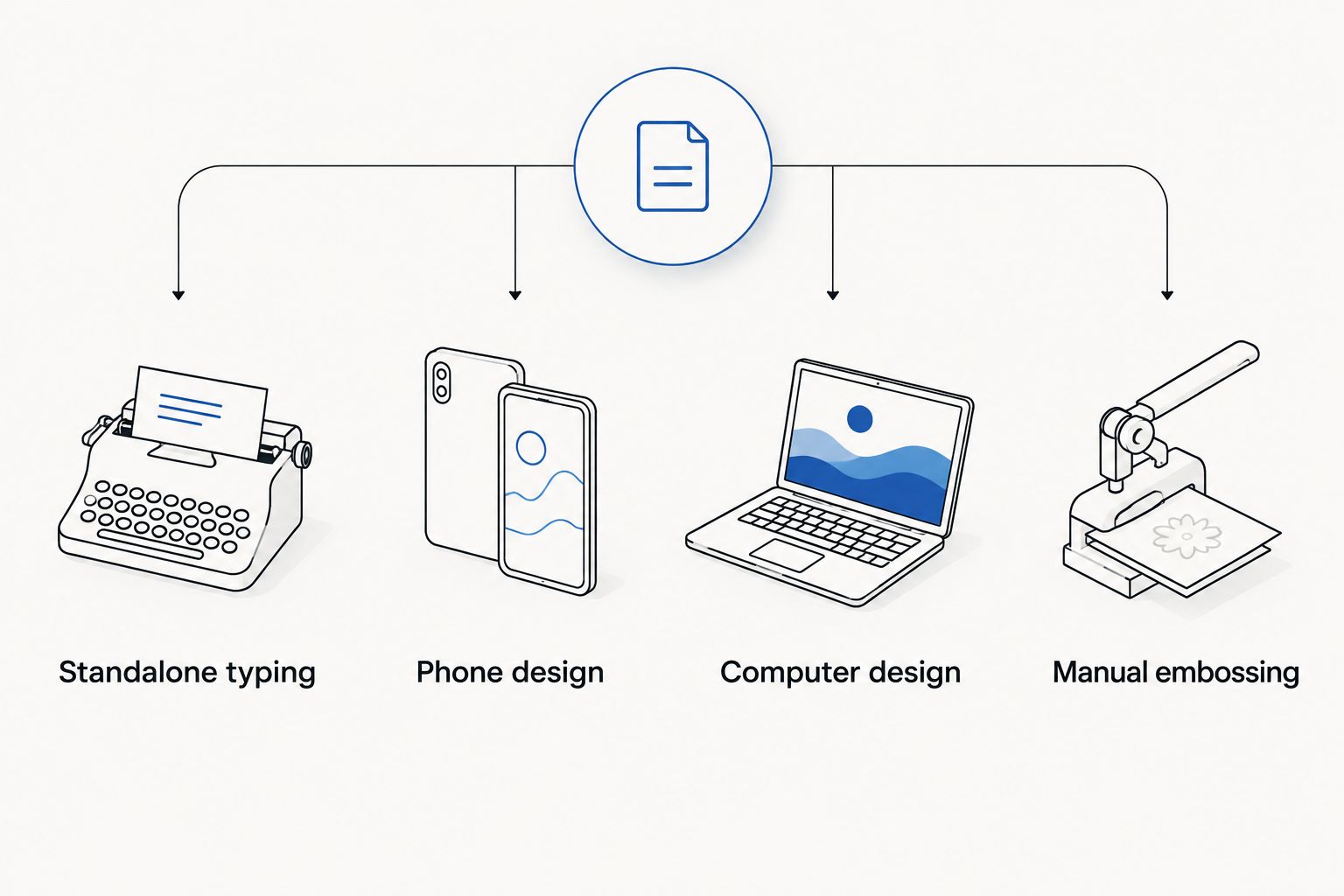
If other household members will make labels, ask which method they prefer before choosing. A machine that fits only one person's habits can make routine updates unnecessarily dependent on that person.
Make the labels useful before making more
Use this sequence for your first 2026 labeling project:
- Sort first. Remove items that do not belong before naming a container.
- Choose categories. Use words everyone in the household understands.
- Check placement. Put the label where it is visible when the container is stored.
- Follow tape instructions. Prepare the surface and apply the tape as directed.
- Review the wording. Change a confusing category before copying it across the room.
Label a movable bin or tag rather than a rental fixture when removal is a concern. Adhesive removal depends on the tape and surface; “rental-friendly” is not a guarantee that a label will leave no residue.
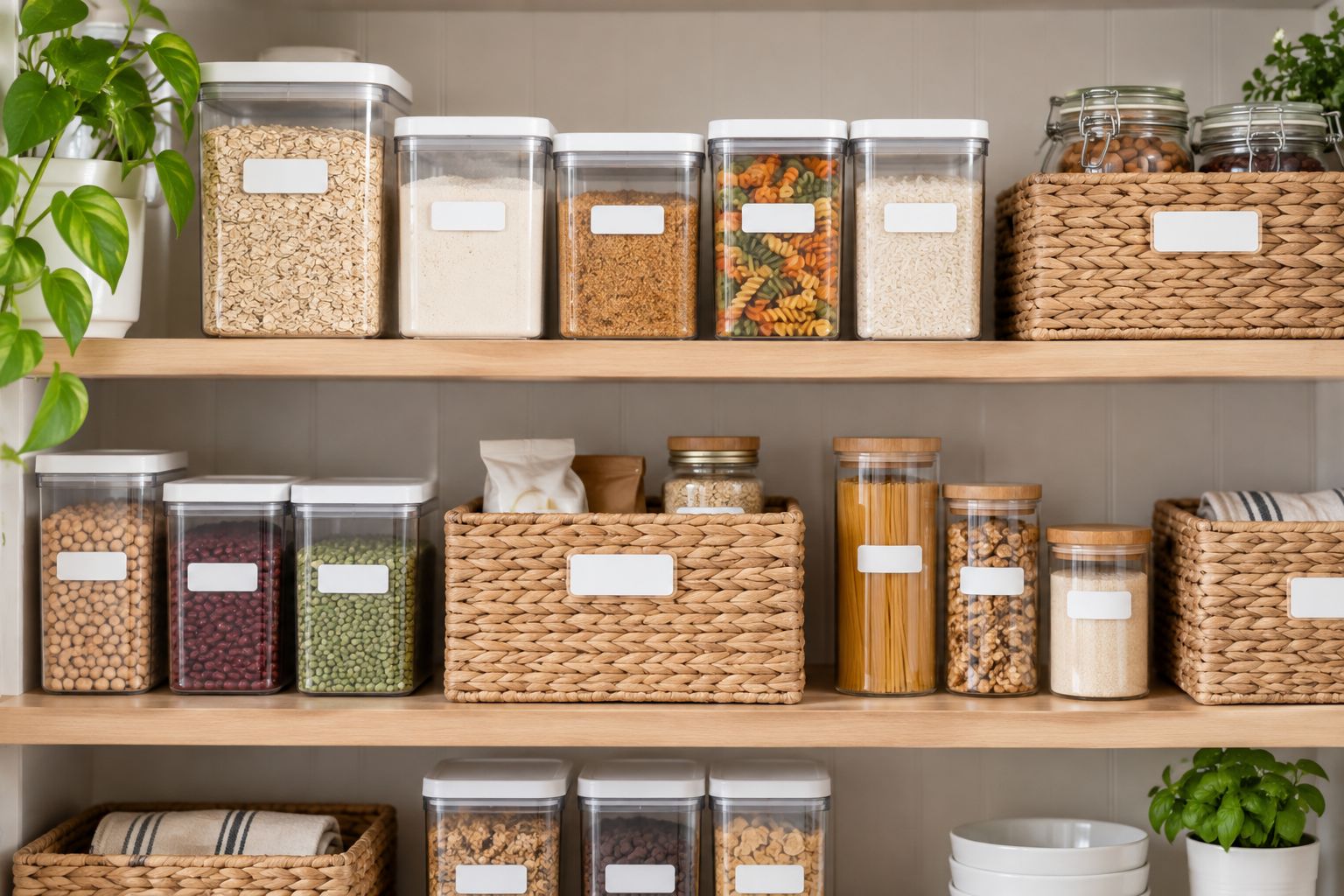
A pantry example makes placement clear: label the front of a basket stored at eye level, rather than a lid you cannot see. Keep the category broad enough to accommodate normal changes in contents.
How the label makers were ranked
Stashsavvy ranked these label makers for home organizing by input method, compatible tape, label-size flexibility, and setup requirements. Manufacturer product information and tape instructions establish those features; this guide does not report firsthand testing, measured adhesive strength, or timed printing comparisons.
The PT-D210 takes the default slot because standalone typing fits ordinary category labeling. The other picks serve distinct preferences rather than representing a claim that every household needs a more elaborate machine. In 2026, confirm current software compatibility and exact tape requirements before choosing a connected model.
Which label maker should you choose?
Choose the Brother P-touch PT-D210 if you are undecided. It covers the straightforward task most readers are trying to solve: making readable labels for everyday bins and shelves without opening an app.
Choose the CUBE Plus for phone design, the PT-D410 for standalone and computer use, the LetraTag 100H for basic indoor labeling, or the Organizer Xpress for occasional embossed text. Stashsavvy's recommendation is to settle the storage categories first, then choose the machine that makes updating them easiest.
FAQ
What’s the best label maker for home organizing in 2026?
The Brother P-touch PT-D210 is this guide’s best overall pick for everyday bins and shelves. Its built-in keyboard lets you create labels without a phone or computer.
Is the Brother P-touch CUBE Plus better than the PT-D210?
The Brother P-touch CUBE Plus is the better fit for phone-designed labels, while the PT-D210 suits standalone typing. The CUBE Plus supports TZe tape up to 24 mm wide; the PT-D210 supports up to 12 mm.
Which label maker works without a phone?
The Brother PT-D210, Brother PT-D410, DYMO LetraTag 100H, and DYMO Organizer Xpress all work without a phone. The Organizer Xpress is manual; the other three have built-in keyboards.
Can I put label-maker labels on pantry containers?
You can label pantry containers when the tape is suitable for their surface and intended use. Follow the exact tape instructions, and do not assume every label tolerates washing or dishwasher cleaning.
Are label-maker labels safe for rental cupboards?
No general residue-free guarantee applies to label-maker labels on rental cupboards. Label movable bins or tags instead, and follow the tape manufacturer’s surface and removal instructions.
Do Brother and DYMO label makers use the same tape?
The Brother and DYMO models in this guide use different tape systems. Check the exact model and cartridge compatibility rather than assuming a tape fits because its width looks right.
Should I organize before buying a label maker?
Sort your belongings and choose storage categories before labeling them. Labels identify a system; they do not resolve mixed categories or containers that do not fit your space.
One last thing
Label the destination, not every object. A shelf marked “Lunch supplies” tells everyone where to return a changing collection of items. Start with one troublesome area, see whether the wording helps your household, and repeat what works.
Related guides
- Best kitchen cabinet organizers
- Best clear pantry storage containers for small kitchens
- Best garage storage systems