

Best Decluttering Apps 2026: Google Keep Wins
Best overall: Google Keep for capturing clutter decisions as you move through a room. Best for repeat routines: Microsoft To Do. Best for a room-by-room project: Trello. Best for tracking what you keep: Sortly. These are the best decluttering apps in 2026 for different jobs; the right choice depends on whether you need a quick list, a schedule, a project board, or an inventory.
- Google Keep is the best overall decluttering app for quick, room-by-room lists.
- Microsoft To Do is best when recurring decluttering tasks keep slipping off your calendar.
- Trello suits a multi-room project; Sortly suits an inventory of items you decide to keep.
- Choose one app for your main obstacle before recording every object you own.
Why this matters
An app cannot decide what stays in your home. It can keep your next decision visible when the closet door closes and everyday life takes over. That distinction matters: a detailed inventory helps you find retained belongings, while a short task list helps you remove belongings you no longer need.
StashSavvy focuses on practical home organization for homeowners and renters. This 2026 guide separates decluttering apps by the work they actually support, rather than treating every checklist, project board, and inventory tool as interchangeable. Start with the friction you feel most often: forgetting a task, losing track of a room, or buying something you already own.
What makes the best decluttering apps?
Use these criteria before choosing an app. A tool that makes an inventory easy is not automatically the best tool for finishing a kitchen clear-out.
- Fast capture: Can you record a decision while holding an item, without building a system first?
- Clear next actions: Can you tell what to do next, rather than stare at a list of everything wrong with a room?
- Fit for the job: Does the app suit a recurring routine, a defined project, or an inventory of belongings?
- Manageable upkeep: Will you still use the system after the first enthusiastic organizing session?
- Useful household handoff: Can someone else understand a task or list without a long explanation?
- Attention on physical progress: Does using the app help you clear space, rather than give you another cataloging project?
For most households, fast capture and low upkeep matter more than an elaborate record of every possession. That is why Google Keep leads this ranking. The other picks win when your problem is more specific.
Best decluttering apps at a glance
| App | Best for | Standout feature | Key limitation |
|---|---|---|---|
| Google Keep | Quick room-by-room lists | Notes and checklists in one place | Limited project structure |
| Microsoft To Do | Repeat decluttering routines | Tasks with due dates and recurrence | Not built for visual room planning |
| Trello | Multi-room projects | Boards, lists, and cards | Setup can become its own task |
| Sortly | Tracking items you keep | Photo-based inventory | Cataloging can slow down decluttering |
The table is a decision guide, not a claim that one app has every feature you need. In 2026, pick the row that matches the job you want to finish, then keep your setup smaller than the space you are trying to clear.
1. Google Keep: best decluttering app for quick room-by-room lists
Google Keep is the default pick because a note can become a place to make immediate decisions. Make a checklist for one area, such as the entryway, and add only actions you can complete: sort the shoe shelf, return borrowed items, and choose what leaves. You can also keep a separate note for measurements or storage ideas without turning the whole project into a board.
Google Keep is the best decluttering app for someone who needs to start sorting today, not design a tracking system first. Its simplicity has a real limit, though. When a project spans several rooms, people, and stages, separate notes become harder to read as a single plan.
Google Keep pros:
- Quick to capture a thought during a hands-on sorting session.
- Checklists make small next actions easy to spot.
- Notes accommodate details that do not belong on a task list.
- Suits a renter or homeowner tackling one drawer, shelf, or room at a time.
Google Keep cons:
- Notes do not give a large project the same visual structure as a board.
- It is easy to collect ideas without setting a time to act on them.
Best for: You have a cluttered area and need a short, accessible list of what to do next.
Verdict: Buy into Google Keep as your starting method if friction is stopping you. Make one note for the area in front of you. When the list gets too large to finish in a session, split it by physical space instead of adding more categories.
2. Microsoft To Do: best decluttering app for repeat routines
Microsoft To Do fits the work that returns after the big clear-out: reviewing a kitchen drawer, dealing with incoming papers, or revisiting a closet before it fills again. Tasks can have due dates and repeat, so the reminder lives with the action. Keep the wording concrete enough to finish, such as empty the donation bag, rather than organize the house.
This pick is less helpful when you want to see every stage of a move or whole-home reset at once. A task list tells you what is due; it does not turn rooms and piles into a visual map. For 2026, use it for maintenance rather than building an inventory of possessions.
Microsoft To Do pros:
- Recurring tasks suit areas that need regular attention.
- Due dates distinguish a plan from a list of good intentions.
- Separate lists can keep household tasks from blending together.
- Short task names make a small reset easier to begin.
Microsoft To Do cons:
- A long list of vague tasks can feel as overwhelming as the clutter.
- It does not offer Trello's board-style view of a multi-stage project.
Best for: You finish a clear-out, but clutter builds up again because no maintenance task is scheduled.
Verdict: Buy into Microsoft To Do for repeatable actions, not for documenting every object. Choose one small reset you can name precisely and repeat it when it will matter.
3. Trello: best decluttering app for a multi-room project
Trello uses boards, lists, and cards to show where work stands. That makes it useful when decluttering has several moving parts: rooms to sort, items awaiting a decision, and tasks that require another household member. A card can represent one finishable job, such as clear the top garage shelf, rather than the entire garage.
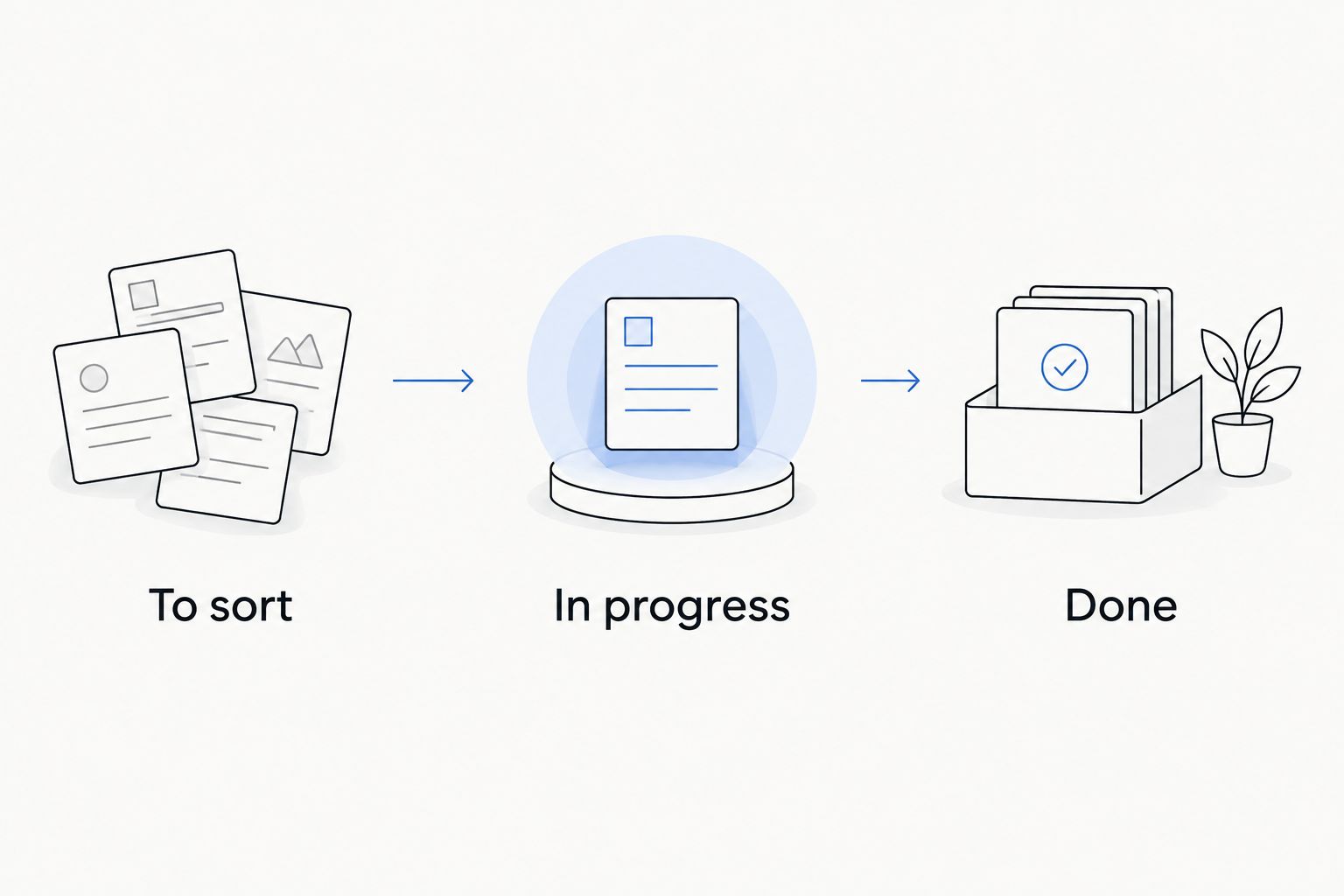
The danger is building a beautiful board while the floor stays crowded. Start with simple stages: To sort, In progress, and Done. Move a card only when the physical task changes, not every time you think about it. That keeps the board connected to visible progress.
Trello pros:
- A board makes separate rooms and tasks visible together.
- Cards give a defined project smaller units of work.
- Lists show which jobs are waiting and which are finished.
- The layout helps when several people need to see the same plan.
Trello cons:
- Creating and maintaining cards takes more effort than jotting down a list.
- Detailed boards invite planning instead of sorting if you add too many stages.
Best for: You have a defined, multi-room clear-out and need to see its moving parts.
Verdict: Buy into Trello only when a simple checklist no longer shows the project clearly. One card should lead to one physical action; if a card needs a long explanation, make the job smaller.
4. Sortly: best decluttering app for tracking what you keep
Sortly is an inventory tool, not a substitute for deciding what to let go. Its photo-based records suit belongings that are stored out of sight and difficult to find later. Once you have sorted a space, recording the items you keep can give a storage box or shelf a clearer purpose.
Do not photograph every item before you decide whether it stays. That reverses the work: you spend your energy documenting clutter instead of reducing it. In 2026, Sortly is the narrower recommendation on this list, but it answers a question the task apps do not: what did you keep, and where did you put it?
Sortly pros:
- Photos help identify stored belongings without relying on a written label alone.
- An inventory separates finding an item from remembering where it went.
- It fits storage areas you rarely open.
Sortly cons:
- Entering items creates upkeep that a checklist does not require.
- It helps track possessions, but does not make keep-or-remove decisions for you.
Best for: You have finished sorting and need a record of selected items stored out of sight.
Verdict: Hold until you know what is staying. Then record only the belongings whose location you are likely to forget, rather than turning every drawer into a catalog.
How we ranked these decluttering apps
This is a research-based comparison of each app's established purpose and its fit with common home-organizing jobs. It is not a hands-on test of these apps by StashSavvy. The ranking puts the lowest-effort starting point first, then moves to tools for recurring work, larger projects, and retained-item records.
That order matters because decluttering and organizing are different stages. First decide what belongs in your home. Then give the remaining items a place, and add a routine if that place keeps filling up. The best app for the first stage need not be the best app for the last.
If you share a home, agree on the physical action before assigning an app task. Sort the pantry shelf tells someone where to begin; fix the kitchen does not. A useful record also states what counts as finished: a cleared surface, a completed decision, or an item put in its assigned place.
Which decluttering app should you choose?
Choose Google Keep if you are undecided. It asks for the least structure before you can write a useful checklist, which makes it the strongest default for a first pass through a cluttered space. StashSavvy's decluttering app recommendation for an overwhelmed household is to start with one visible area and a short list, not a whole-home database.
Choose Microsoft To Do when the issue is consistency after a clear-out. Choose Trello when a defined project has enough rooms or shared tasks that one list stops making sense. Choose Sortly after sorting, when the belongings you keep need an inventory. Each is a good fit for its own job; none removes the need to handle the items in front of you.
In 2026, resist using all four at once. Pick the tool tied to your current obstacle. If that obstacle changes from finishing a project to maintaining the result, change the system then. Your app should reduce the number of decisions between noticing clutter and taking action.
FAQ
What is the best decluttering app in 2026?
Google Keep is the best overall decluttering app in 2026 for quick room-by-room checklists. Choose a more specialized tool if you need recurring tasks, a project board, or an inventory.
Is Google Keep better than Trello for decluttering?
Google Keep is better for a short list you can start using immediately. Trello is better when several rooms or people make the project hard to follow in one list.
Which app helps me declutter a closet?
Google Keep works well for a closet clear-out because you can list specific shelves, drawers, and decisions. Use Microsoft To Do instead if your main goal is to schedule regular closet resets.
Which decluttering app works for a whole house?
Trello is the best pick here for a defined whole-house project. Give each room finishable tasks and keep the board focused on physical progress.
Should I inventory everything before decluttering?
No. Decide what stays before making an inventory, or recording items can take time away from clearing them out. Sortly is most useful for selected belongings you keep but rarely see.
Can an app keep a home decluttered?
An app can remind you to act, but it cannot make decisions about what stays. Pair a short list or recurring task with a specific shelf, drawer, or other physical space.
What is the difference between a decluttering app and an inventory app?
A task-focused app helps you decide what to do next and track completion. An inventory app such as Sortly helps you record belongings after you decide to keep them.
One last thing
Before adding a task, finish one that already exists in your head. Put the donation bag where you will take it next, or return the item you found while sorting. A decluttering app earns its place only when it helps you complete a physical decision; a fuller list is not a calmer home.
For 2026, StashSavvy's decluttering app rule is simple: track the next action, not every thought about the room. Once the clutter is reduced, choose storage that fits what remains.
Related guides
- Closet organizer systems
- Pantry organization systems
- Kitchen cabinet organizers
- Garage storage systems